OpenAI Codex CLI Early Review Notes
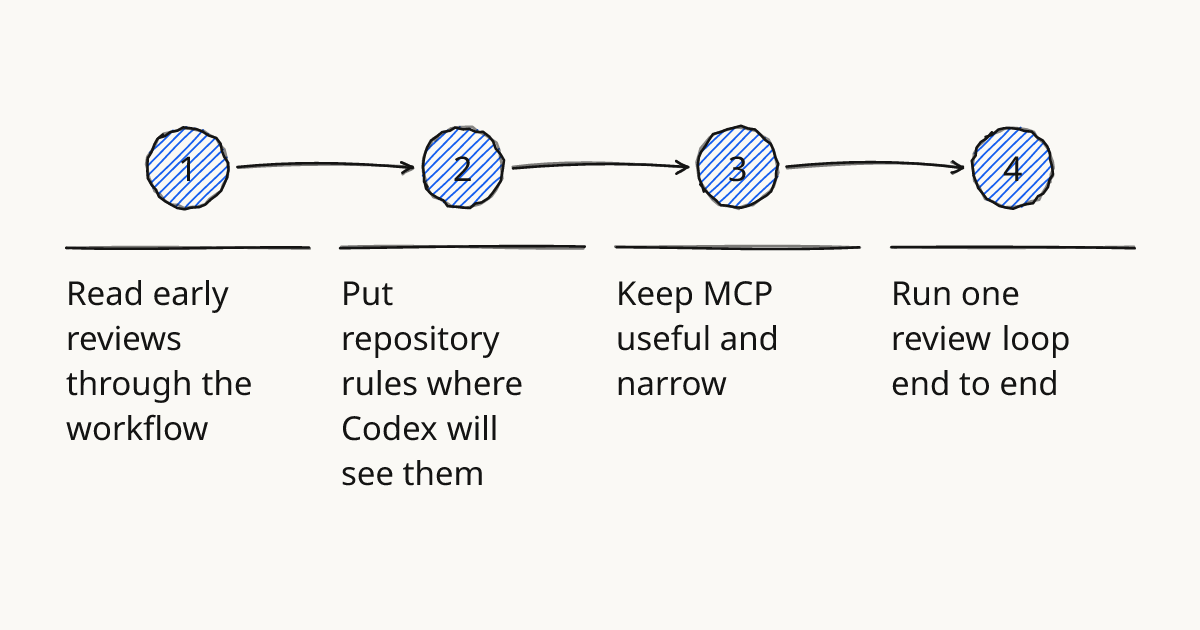
Treat early Codex CLI feedback as workflow evidence first. OpenAI's Codex CLI brings the Codex agent into the terminal, where a team can give it repository instructions, connect context through MCP, ask for changes, and verify the result before code review. For a Codex team, the useful question is whether the workflow behind a review is safe enough to repeat.
OpenAI Codex CLI early reviews are most useful when they show the repo setup, the AGENTS.md rules, the MCP boundary, and the verification commands. That is also how I would run a Codex workshop or OpenAI Codex training session: pick one real task, give Codex bounded context, then make the review evidence visible.
Read early reviews through the workflow
Do not rate Codex CLI from the final diff alone. Ask what the agent was allowed to read, what it was allowed to change, and how the developer checked the result.
For engineering teams, the review signal improves when it maps to repeatable CLI workflows. A useful review tells you whether Codex found the right files, followed repository conventions, used MCP without overreaching, and left a diff that a human could review quickly.
As of November 2026, I would date any claim about speed, model behavior, or defaults. Codex will keep changing, but the operating model around instructions, permissions, and verification will stay valuable.
Rolling this out in your team?
We train engineering teams on their own codebase in two days. Codex setup, shared rules and review included.
Put repository rules where Codex will see them
AGENTS.md should carry the rules that matter during a real edit. Keep it short enough that Codex can apply it, and scoped enough that a change in one part of the repo does not inherit the wrong constraints.
In a TypeScript API repo, I would put broad rules at the root: package manager, test command, formatting command, migration policy, and code review expectations. Then I would add a nested AGENTS.md under a folder such as src/routes/ if route handlers have local patterns that do not apply elsewhere.
Do not turn AGENTS.md into a long company handbook. Codex needs working instructions: where tests live, which generated files not to edit, how to name new modules, and what counts as a finished change.
Keep MCP useful and narrow
Use MCP for context Codex cannot get from the working tree. An MCP server exposes an external system or tool to the agent, such as GitHub issues, docs, tickets, or internal knowledge.
Start with read-only access. Let Codex read the GitHub issue, linked design note, or API reference, but keep writes behind a human review until the team knows the failure modes.
The tradeoff is slower automation. A read-only MCP setup will not close issues or update tickets for you, but it keeps the first Codex MCP workflow easier to reason about. If you are wiring this up for the first time, pair this article with Connect Codex CLI with MCP.
Run one review loop end to end
A Codex CLI review should produce more than a patch. It should produce the reason for the patch, the commands run, and the limits of the change.
Use this procedure for one GitHub issue or small backlog item:
- Check out a clean branch and make sure the repo installs locally.
- Ask Codex to inspect the issue and the relevant files before changing code.
- Require a short plan that names files, tests, and assumptions.
- Let Codex make the smallest useful change.
- Run the repo's normal verification commands, not a custom shortcut invented for the demo.
- Ask Codex to summarize the diff, failed checks, skipped checks, and remaining risk.
- Review the diff yourself before opening or updating the pull request.
This belongs to the Review step in our methodology. The agent can draft and check, but the owner still decides whether the evidence is strong enough to merge.
Paste this verification block into AGENTS.md
Use this as a starting point, then replace the commands with the real ones from your repository.
## Codex CLI workflow rules

Before editing:
- Read the issue or task description.
- Inspect the files likely to change.
- State the planned files, commands, and assumptions.

While editing:
- Keep the diff focused on the requested task.
- Do not edit generated files unless the task explicitly asks for it.
- Do not introduce a new dependency without explaining why.

Verification:
- Run `npm run lint` when JavaScript or TypeScript files change.
- Run `npm test` when behavior changes.
- Run `npm run typecheck` when exported types, API handlers, or shared models change.

Final response:
- Summarize the code change.
- List verification commands and results.
- Name any checks that were skipped and why.
- Call out risky assumptions for human review.
The important part is not the exact command list. The important part is that every Codex run ends with reviewable evidence instead of a confident paragraph.
Further reading
Run one bounded Codex review
Pick one small issue, add the AGENTS.md block, connect only the context Codex needs, and require the verification summary before you read the diff. If you want to practice this with your team, bring that repo to hands-on training on Codex CLI workflows and we will turn it into a repeatable review loop.
Train your team on Codex
Two days on your team's own repository, onsite or remote, with a written proposal before you commit.
Book a callPrefer to measure first? Take the free team check.