Connect Codex CLI with MCP
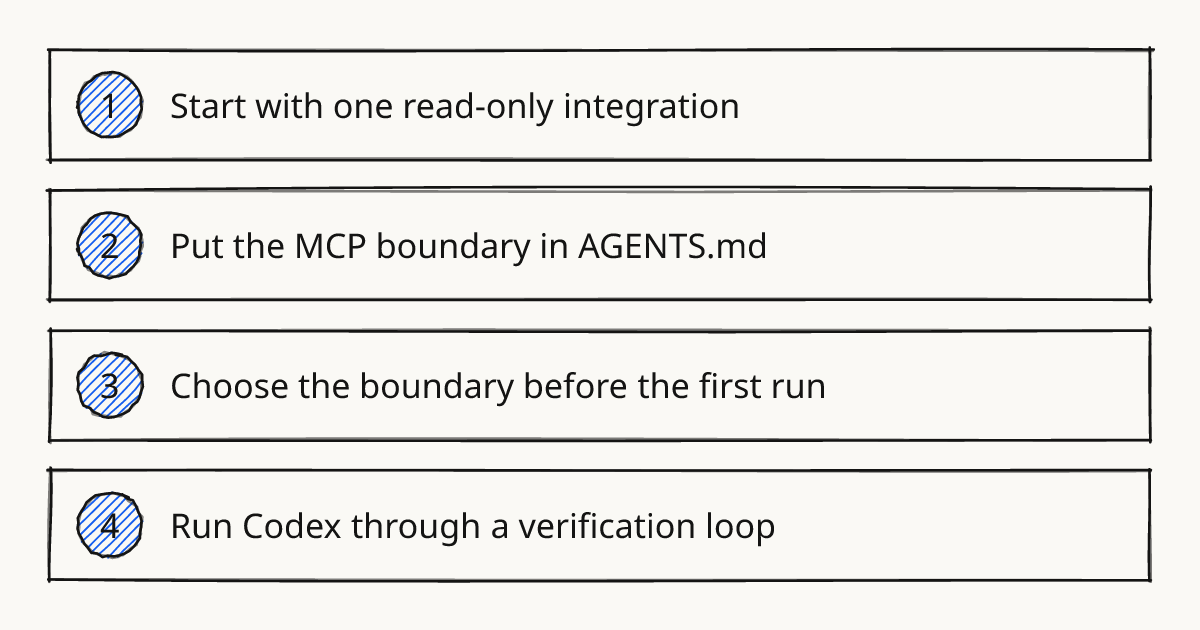
Do not give Codex CLI every integration before the team has agreed what the agent may read, what it may change, and how its work gets checked. For an OpenAI Codex team, MCP access should start as a narrow path from the local coding run to one external source of context, usually read-only GitHub issues, docs, or a project tracker. In Codex CLI training, I treat this as workflow design first and tool setup second.
Codex CLI MCP work pays off when it removes copy-paste context from a normal engineering loop. A practical first workflow is issue to branch to local edit to test to review: Codex can read the issue and repository context, propose changes, then you verify the diff and run the project checks before anything leaves your machine. For broader team patterns around this, see CLI workflows.
Start with one read-only integration
Treat MCP as the connector that lets Codex reach a specific external system during a run. The first server should usually be read-only because the risk is easier to see: Codex may gather context, but it cannot update tickets, push branches, change labels, or touch production data.
I would name the spike ticket “Model Context Protocol Codex CLI access” and make the first acceptance criterion boring: Codex can read the selected issue and relevant docs, then produce a local diff that passes the usual checks. That gives the team a real workflow without turning the agent into a remote operator.
A common example is a GitHub issue that describes a bug in a validation path. Codex reads the issue, inspects the local repository, edits the relevant test and implementation files, and then reports the diff and test result. The human still decides whether the issue was interpreted correctly.
Rolling this out in your team?
We train engineering teams on their own codebase in two days. Codex setup, shared rules and review included.
Put the MCP boundary in AGENTS.md
AGENTS.md should carry the rule that survives individual prompts. Prompts are easy to forget; repository instructions are where the team says how Codex should behave in this codebase.
Keep the first rule specific. “Be careful with external tools” is too soft. Say which MCP use is allowed, which remote writes are blocked, and what Codex must report at the end.
# AGENTS.md

## Codex MCP access
- Use MCP servers only for context lookup unless this file explicitly allows writes.
- Prefer read-only GitHub, issue tracker, and documentation access.
- Do not change remote state, labels, tickets, branches, secrets, or production data through MCP.
- When using MCP context, mention the record you used in the final note.
- If external context conflicts with repository code, trust the code and ask before changing behavior.

## Verification before handoff
- Run the smallest relevant test command first.
- Run the repository standard lint or typecheck when touched files require it.
- Show the final diff summary and any tests not run.
Use nested AGENTS.md files when one part of the repo needs a tighter rule. A service that handles billing, auth, or migrations may need stricter MCP and verification instructions than a documentation folder.
Choose the boundary before the first run
The useful engineering decision is not whether MCP is good. The decision is how much authority the Codex agent gets in the workflow.
| Boundary | Use it when | Limit |
|---|---|---|
| No MCP | The task is local and the repository already has enough context. | Codex may miss ticket details or current project notes. |
| Read-only MCP | Codex needs issue text, docs, project history, or design notes. | Someone still has to apply judgment and update external systems. |
| Write-capable MCP | The team has a reviewed, narrow operation such as creating a draft issue or posting a status note. | A bad instruction can create noisy or wrong remote changes. |
Most teams should live in the middle row for a while. It improves context without hiding responsibility.
If your team is still deciding who may start Codex runs, approve diffs, or merge results, read Codex CLI Tool for Team Workflows before adding write access. MCP makes weak team habits show up faster.
Run Codex through a verification loop
The loop should be short enough that people actually use it. Connect one MCP server, run Codex against one task, inspect the diff, run the relevant checks, and only then decide whether to widen access.
A concrete procedure works better than a policy paragraph:
- Configure the MCP server according to the Codex CLI and server documentation, using the narrowest token or credential available.
- Add the AGENTS.md boundary before the first run, not after the first surprise.
- Ask Codex to solve one issue or small change locally.
- Review the files changed, not just the final answer.
- Run the smallest meaningful test, then the project lint or typecheck if the touched area requires it.
- Record what Codex read through MCP and what you chose not to run.
In our Delegate, Review, Own method, this belongs mostly in Review: the agent can gather context and draft the change, but the developer owns the evidence before handoff. I use our methodology to make that responsibility explicit in team workshops.
The tradeoff is speed. A read-only MCP setup with verification will feel slower than handing the agent a broad token and hoping it behaves. It is also much easier to debug when the output is wrong.
Further reading
Next step
Pick one issue-to-PR workflow this week and add the AGENTS.md boundary before you connect the first MCP server.
Train your team on Codex
Two days on your team's own repository, onsite or remote, with a written proposal before you commit.
Book a callPrefer to measure first? Take the free team check.