Back to Research

Show HN: Remarc Feedback via MCP

Remarc captures comments on text, screenshots, web elements, and voice so coding agents can resolve them through MCP.

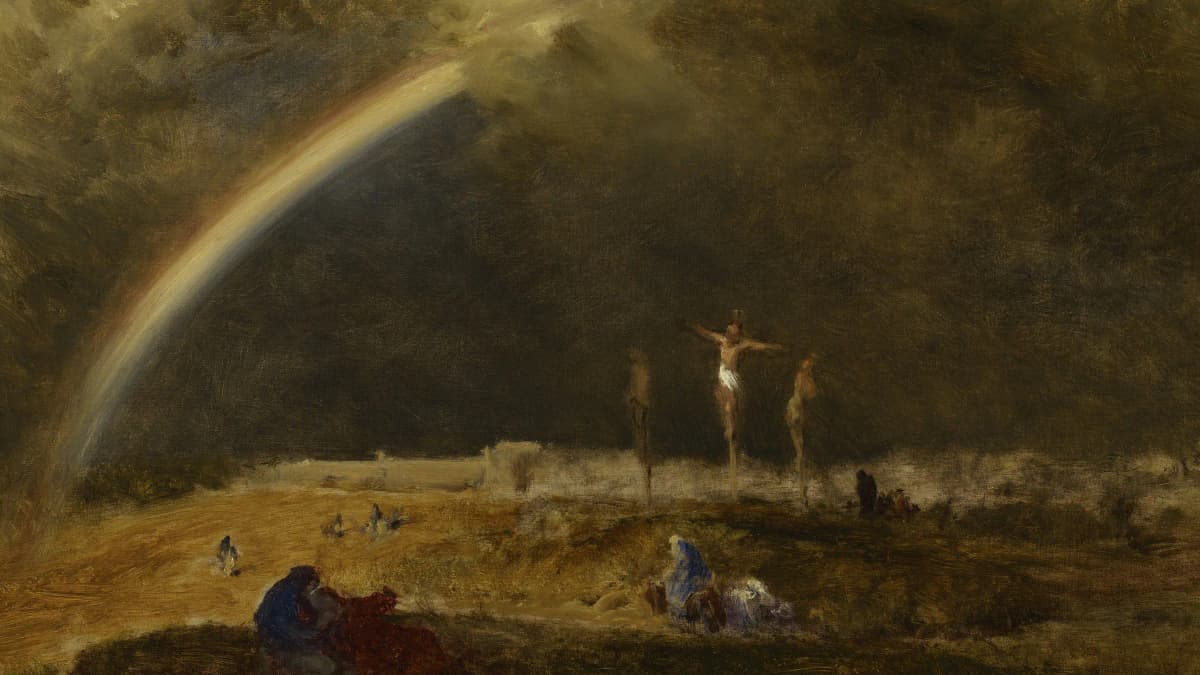
The Triumph at Calvary, landscape painting by George Inness (1874).
Rogier MullerAugust 16, 20269 min read

Remarc is metedata's open-source macOS project for leaving contextual feedback that a coding agent can read via MCP. It deals with a small, stubborn problem in agentic coding: chat is a clumsy place to point at a sentence, a screenshot, or a UI detail and say exactly what should change. The takeaway is simple: contextual feedback becomes much more useful when it travels with the thing you saw, but the MCP boundary should start narrow and mostly read-only. For readers tracking AI coding governance, Remarc is a concrete example of guardrails moving closer to the developer's actual review moment.

See the exact thing the agent should fix

Remarc runs from the Mac menu bar and lets you comment on selected text, screenshots, web elements, or voice notes. Remarc is a feedback layer between a human reviewer and an AI coding agent, with the original context attached to each comment.

That sounds small until you try to review agent output in a real product repo. A chat message like change the third paragraph is ambiguous. A comment tied to the exact paragraph, the source app, and the review note is not.

The project is early and modest, which is part of why it was interesting on Hacker News. As of August 2026, the repository had 48 GitHub stars, was mainly Swift and SwiftUI, used the MIT license, and had been pushed on August 15, 2026. It is not a platform announcement from a big vendor. It is a developer scratching an itch that many coding-agent users now recognize.

The trap is to treat contextual feedback as a prettier chat UI. The useful part is not the annotation itself. It is the preserved reference: the quote, screenshot, source app, web context, or recording that keeps the agent from guessing what you meant.

Send comments through MCP, not another inbox

Model Context Protocol, introduced by Anthropic, is a standard way for AI clients and agents to connect to external context and tools through servers. In Remarc's case, MCP is the bridge that lets the agent read the feedback instead of forcing the human to retype it into a prompt.

That changes the day-to-day loop. You can review a draft plan, circle a missing hover state, leave a note on awkward copy, and then ask the agent to resolve the open feedback. The agent gets closer to the same evidence you had when you made the comment.

This is especially useful when the target is not only code. A design bug might live in a screenshot. A docs issue might live in a browser selection. A confusing implementation plan might live in a Markdown file or a task tracker. Remarc's bet is that agent feedback should attach to those surfaces directly.

The trap is to assume MCP means write access. It does not have to. An MCP server can expose context, tools, prompts, or resources, and the safe first version of a feedback integration should expose comments as context before it exposes anything that mutates a repository, issue tracker, or production system.

Review agent output without replaying the whole conversation

The strongest use case is the boring one: review. Not code review as a ceremony, but the five-minute pass where you notice the agent misunderstood a sentence, overbuilt a component, or missed a visual state.

Imagine a Codex session in OpenAI's Codex CLI that generated a new onboarding card. The UI mostly works, but the secondary button has no hover state and the help text is too formal. Instead of writing a long prompt, you mark the button in a screenshot, select the sentence in the browser or editor, and leave two short comments.

Then the next Codex prompt can be small:

Read the open Remarc comments through MCP.
Fix only the missing button hover state and the selected help-text sentence.
Run npm test and npm run lint.
Stop and report if the requested change touches auth, billing, migrations, or secrets.

That is a better prompt because it has a boundary. The context comes from Remarc. The scope comes from the human. The verification comes from the repo.

The same pattern shows up in the broader question of whether agentic coding feels more like management than typing. The useful move is not to become vague and managerial; it is to make the handoff concrete enough that the agent can act and the human can verify. That is the thread running through Does AI Coding Feel Like Leadership?, and Remarc gives it a very literal surface.

Keep the first integration narrow

Remarc's interesting idea is context, not autonomy. The first safe boundary is to let the agent read feedback and propose changes, while the repository rules still decide what can be edited and how verification works.

A small repo rule can make that boundary visible:

# AGENTS.md

MCP boundary:
- Treat Remarc comments as review input, not approval.
- Use Remarc context when resolving UI copy, screenshot, and plan-review feedback.
- Do not change auth, billing, migrations, security policy, or secrets from a Remarc note alone.
- After edits, run the repo verification commands and report the exact output in the handoff.

This is the practical line: comments can guide work, but they are not permission slips. A screenshot with a circled button should not let an agent rewrite routing, alter analytics, or touch payments unless the task already asked for that.

The limitation is that context can be sensitive. Screenshots may include customer data. Browser selections may include private docs. Voice notes may capture more than intended. If you wire a tool like this into a coding workflow, the first security question is not whether the agent is clever. It is what feedback objects the MCP server exposes and which clients can read them.

Try it safely with a tiny boundary table

Use Remarc as a small experiment, not as a new command center. Pick one repo, one agent client, and one kind of feedback that is already annoying in chat.

Decision Start with Keep out at first Why
Feedback source Selected text and screenshots Raw private windows and broad desktop capture The agent needs the reviewed object, not your whole workspace.
MCP access Read comments and attached context Tools that write files, close tickets, or push commits Reading feedback is lower risk than acting outside the repo.
Repo scope UI copy, docs, small component fixes Auth, billing, migrations, secrets, policy files Visual and wording feedback is where pointing helps most.
Verification Codex CLI runs tests, lint, and a human-readable handoff Silent edits with no command output Context helps the agent start; verification proves it finished.
Retention Clear resolved comments after the task Permanent archives of every screenshot and recording Feedback data can be more sensitive than it looks.

Permission-boundary note to copy:

Remarc MCP permission boundary:
The agent may read Remarc comments and attached context for the current task.
The agent may not treat a Remarc comment as approval to expand scope.
Any change outside the mentioned file, component, or screenshot area needs an explicit human confirmation.
The final response must include files changed, Remarc comments resolved, and verification commands run.

The trap is to start with the hardest workflow. Do not begin with production incident response or large refactors. Start with a hover state, a docs paragraph, or a component screenshot where the feedback object is obvious and the verification loop is cheap.

Common questions

  • Does Remarc replace code review?

    No. Remarc is better understood as a contextual feedback capture layer before or during review. It can preserve the exact text, screenshot, or web element behind a comment, but it does not replace repository policy, human approval, test output, or the final review of a pull request.

  • Is Remarc only useful with MCP?

    Remarc's agent workflow is built around MCP, because that is how the coding agent reads the comments and attached context. The core product idea is still broader: feedback should stay attached to the object being reviewed instead of being paraphrased into a chat box.

  • What should an agent be allowed to read first?

    Start with selected text, screenshots, and the specific comment metadata needed for the current task. Do not begin by exposing broad desktop state, private app contents, or write-capable tools. The small boundary table above is enough for a first experiment in a real repo.

  • How does this fit with Codex or Codex?

    It fits as an MCP-backed context source, not as a replacement for the agent. Codex, Anysphere's AI code editor, can run agent workflows that benefit from external context, while Codex users can pair feedback context with AGENTS.md rules and command-line verification.

  • What is the biggest limitation?

    The biggest limitation is trust around captured context. Screenshots, selected text, and voice notes can contain sensitive information even when the task looks harmless. Treat feedback objects like review data with permissions, retention rules, and a narrow agent scope.

Best ways to use this research

  • Best for: engineers evaluating MCP feedback tools for UI review, docs edits, implementation-plan comments, and other places where chat loses the reference.
  • Best first artifact: an AGENTS.md boundary note that says Remarc comments are input, not approval, and requires verification output before handoff.
  • Best comparison angle: compare contextual feedback tools by what they preserve: selected text, source app, screenshot annotation, web context, voice note, and MCP exposure model.
  • Best risk question: ask which feedback objects the agent can read and whether any MCP tool can mutate files, tickets, browser state, or external systems.

Further reading

One next step

Try the smallest possible loop: capture one screenshot comment, let the agent read it through MCP, and require a test or lint handoff before accepting the change. If that feels useful, add the AGENTS.md boundary before making the workflow broader.

One methodology lens

One useful way to read this through our methodology is the Plan step: delegate first-pass decomposition and dependency mapping, review the sequencing and assumptions, and keep ownership of scope and priorities. If that split is still fuzzy, the workflow usually is too.

Related training topics

Related research

Continue through the research archive

Ready to start?

Transform how your team builds software.

Book a 15-minute sync