Codex CLI 0.169.0 Adds Workspace Tabs
Codex CLI 0.169.0 installs with npm install -g @openai/codex@0.169.0, and the release makes the terminal workspace less disposable: saved local side chats can be reopened after a restart, older tasks can be searched, and codex exec keeps project configuration and MCP servers off in untrusted directories unless you save trust. For anyone checking the Codex CLI GitHub repo after a release, the changelog is the cleaner record of what shipped.
This is a workflow release more than a headline model change. It pulls more session management into the CLI, including terminal setup for custom model providers and a stronger Cloud connection on macOS and Linux. The release belongs in CLI workflows because its value is in resuming work and checking what the agent already did.
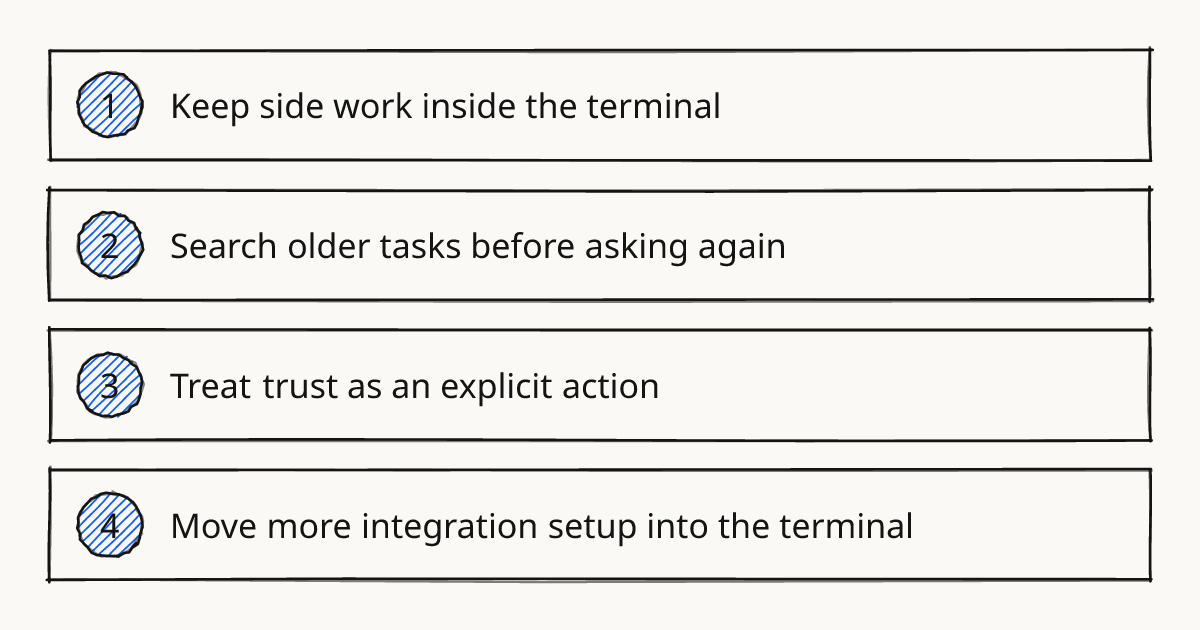
Keep side work inside the terminal
The opt-in terminal workspace now supports multiple side-chat tabs. You can switch between them with the keyboard or mouse, and saved local side chats can be reopened after restarting Codex.
That matters when a task has a main thread and a smaller investigation beside it. The release makes that side work part of the terminal session instead of forcing it into a scratch note.
Rolling this out in your team?
We train engineering teams on their own codebase in two days. Codex setup, shared rules and review included.
Search older tasks before asking again
The agent command center can now search older tasks by name, prompt preview, or working directory. That is a small feature with a practical effect: it lowers the chance that you ask Codex to reconstruct work it already performed.
The full-screen transcript also gets a Collapse turn details setting. Completed activity folds beneath each prompt while answers stay visible and tool output remains searchable. That is useful when the answer is short but the tool log is long.
Treat trust as an explicit action
The most important bug fix is about untrusted directories. codex exec keeps project configuration and MCP servers disabled in untrusted directories, even with --sandbox workspace-write.
MCP servers are connectors to external systems, so this is a real safety boundary. The changelog says to use --trust with codex exec or codex review when you want to save project trust explicitly. If review is where this matters most, pair the release note with Codex CLI Code Review Receipts.
In our methodology, this sits closest to Review: preserve the transcript, inspect the changed files, then decide whether the next prompt should get more access.
Move more integration setup into the terminal
Codex CLI 0.169.0 can add or edit custom model providers from the terminal. With custom gateway onboarding enabled, a provider can be created during sign-in, and supported gateways can use a device code over SSH or without a local browser.
The opt-in Cloud connection also grows on macOS and Linux. From the terminal, the release can send images, choose a model and reasoning effort, and archive or restore Cloud conversations. The limit is clear in the changelog: this Cloud path is opt-in, and the operating-system note is macOS and Linux.
Choose the change that matches your work
| Change in 0.169.0 | Use it when | Limit to remember |
|---|---|---|
| Terminal workspace side-chat tabs | You want to reopen saved local side chats after a restart | The workspace is opt-in |
| Agent command center search | You need to recover older task context | It searches by name, prompt preview, or working directory |
| Collapse turn details | You want a cleaner transcript without losing tool output search | It is a setting in the full-screen transcript |
| Custom model providers in terminal | You configure providers from SSH or a terminal-only session | Device code support depends on the gateway |
| Cloud connection updates | You use Cloud conversations from macOS or Linux | The connection is opt-in |
| Diagnostic ZIP save with Ctrl+S | Uploads are disabled but you still need local diagnostics | The ZIP is local, so handle it like any other diagnostic artifact |
Try 0.169.0 safely in one repo
- Install the release with
npm install -g @openai/codex@0.169.0. - Open a repo you already trust and try the opt-in terminal workspace side tabs on one active task.
- Search an older task from the agent command center before starting the same request again.
- In an untrusted checkout, confirm that
codex execleaves project configuration and MCP servers disabled; add--trustonly when saving trust is intentional. - Keep the Codex CLI GitHub repo nearby for linked issues, but treat the changelog as the release record.
Further reading
Make one repo your test case
Run 0.169.0 in one known repo, turn on the workspace feature you actually need, and verify the trust behavior before making it routine. For guided practice, hands-on training covers Codex CLI workflows from delegation through review.
Train your team on Codex
Two days on your team's own repository, onsite or remote, with a written proposal before you commit.
Book a callPrefer to measure first? Take the free team check.